

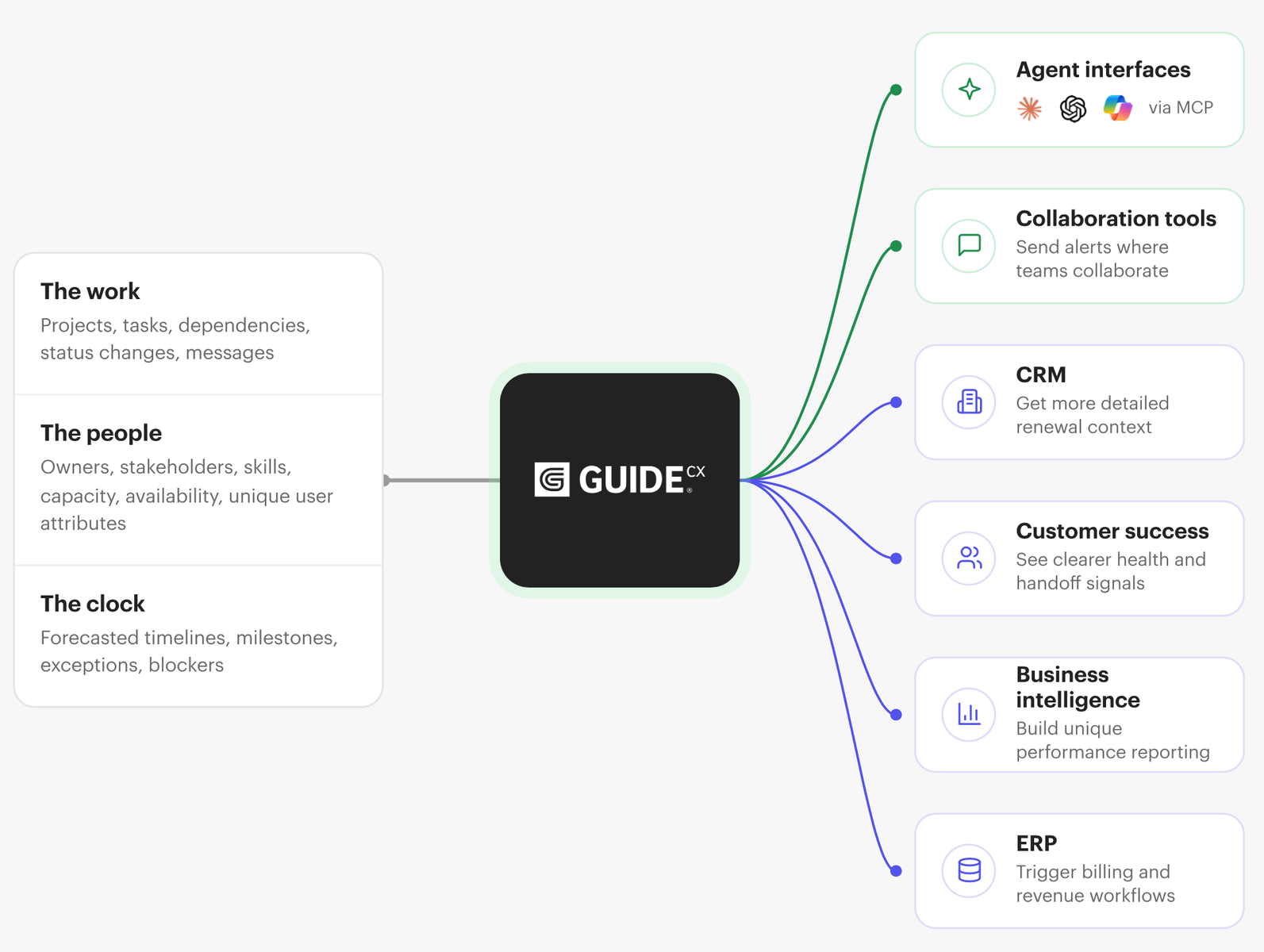
The GUIDEcx API gives customers a programmable layer for the work already happening inside their onboarding operation. Projects, tasks, milestones, ownership, status, dependencies, and other implementation data can become available to approved systems outside the GUIDEcx platform.
A local Model Context Protocol (MCP) server takes that a step further, turning GUIDEcx API capabilities into tools that AI applications like Codex or Claude can use directly.
For an onboarding team, this creates a whole new way to work with GUIDEcx. For example, leaders can ask specific questions about the health of their project portfolio, project managers can retrieve deep context without assembling it manually, and teams can quickly prepare or execute approved project changes through natural language. Existing project data remains in GUIDEcx as the operational foundation.
Let’s walk through the specifics of how this benefits onboarding teams and how it works.
Can GUIDEcx integrate with AI tools like Claude and Codex?
Yes. GUIDEcx is the most AI-friendly customer onboarding platform, providing an API that gives approved systems structured access to onboarding and delivery data such as projects, tasks, milestones, roles, templates, project messages, and dependencies.
Over the past two years, we’ve rebuilt major parts of GUIDEcx around a more structured, extensible product foundation. A big reason for that work was the direction we believed software was moving: customers would increasingly want their operational data to be accessible not only inside the application but also to integrations, automation, analytics, and AI systems.
That foundation enables MCP to function well. A local MCP server can expose selected GUIDEcx API capabilities to tools like Codex or Claude, allowing them to retrieve project information, reason across onboarding activity, and perform specific approved actions.
Because those capabilities are exposed through the API, teams can control what the AI application is actually allowed to do. One organization may use MCP only for portfolio analysis and project questions. Another may also allow task updates, internal project messages, or project creation workflows.
MCP is a newer interface for a broader architectural decision we’ve been working toward for several years: making GUIDEcx onboarding data structured, accessible, and useful to the systems customers want to build around it.
How can AI help with customer onboarding?
In our recently published report, the State of Customer Onboarding in 2026, we found that AI automation is the number one priority for onboarding professionals. Interestingly, the top cited use case for AI among the onboarders we surveyed was experimentation.
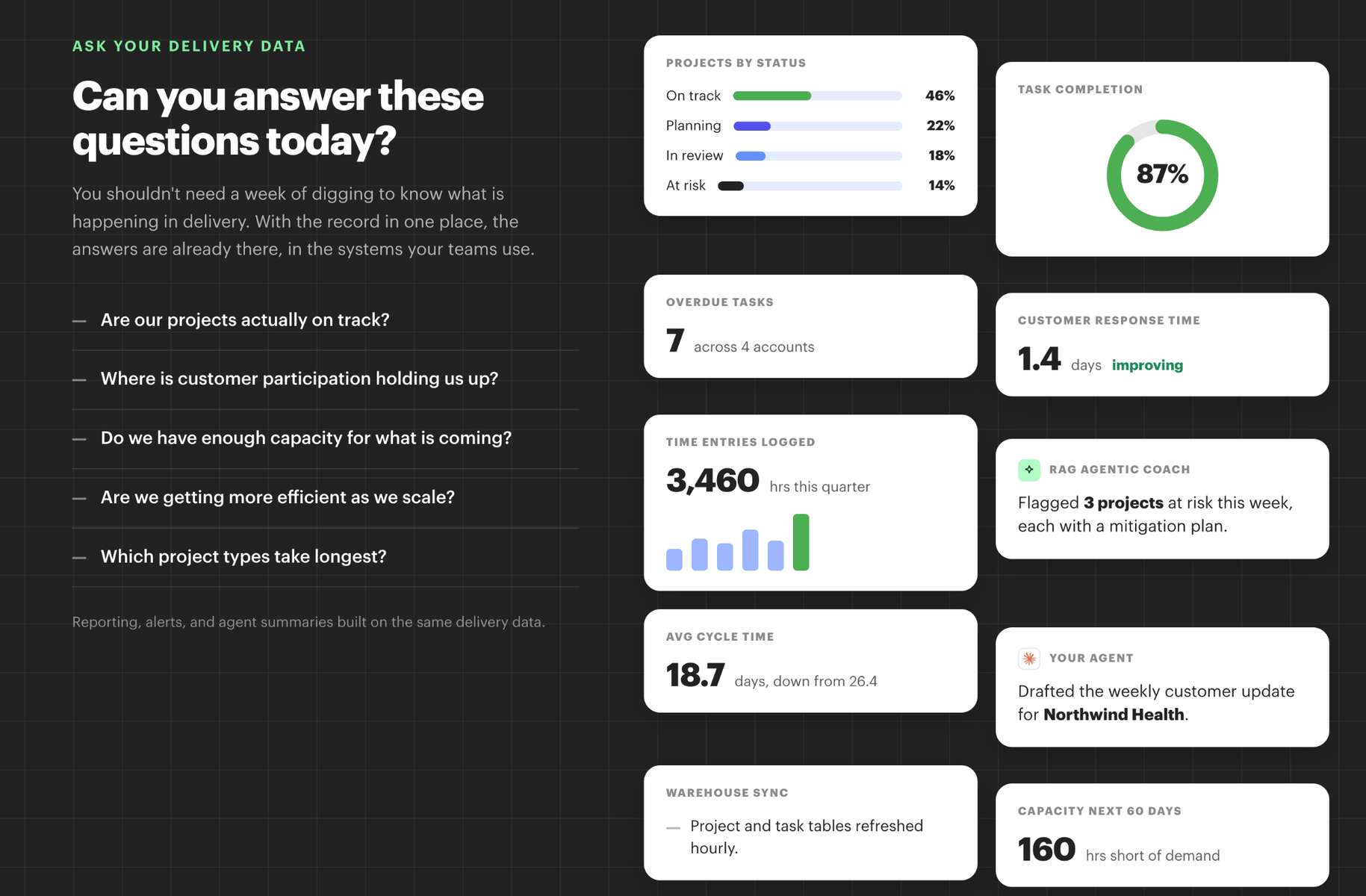
That tells us that onboarding teams are still trying to figure out how to use AI to support their work. But after hundreds of conversations with the teams behind client delivery in B2B, we’ve narrowed down the most immediate value of AI as interpreting large volumes of onboarding data, surfacing trends and risks along with tailored intervention plans across your project portfolio, and more efficiently executing repeatable, structured tasks within onboarding projects.
MCP is a great candidate for creating value for onboarding teams when it comes to interpreting onboarding data specifically, because it allows you to query a huge volume of data with natural language, as well as use AI to create reporting unique to your operations.
Let’s look at an example. Consider a leader with 75 active implementations. The information needed to decide where to intervene already exists across project dates, open tasks, customer responsibilities, milestones, and project activity. But bringing those pieces together into a clear picture is challenging.
Through the GUIDEcx API and MCP, that leader could ask:
- “Which projects have the most overdue work?”
- “Show me active projects with overdue customer tasks.”
- “What still needs to happen before this customer can go live?”
- “Summarize the current state of this implementation.”
- “Which projects have upcoming milestones with unfinished work?”
The MCP server determines which GUIDEcx data the AI application is allowed to retrieve. Codex or Claude can then use the returned information to answer the question.
This gives teams a conversational layer over their existing onboarding operation without requiring a separate copy of the project plan or a new system of record.
What can you do with MCP and the GUIDEcx API?
The GUIDEcx API matters because it provides structured access to GUIDEcx rather than asking an AI model to interpret screenshots, copied status updates, or manually exported reports.
GUIDEcx API v3 uses standard REST patterns and authenticated access to the workspace. API access must be enabled for the GUIDEcx workspace before an integration can use it.
An MCP server can expose selected API capabilities as clearly defined tools for Codex, Claude, or another compatible application.
Depending on the tools you choose to make available, users can work with projects, tasks, project messages, members, roles, templates, phases, milestones, and task dependencies.
That creates useful workflows at both the individual project and portfolio level, including answering delivery questions, surfacing risk, summarizing project activity, identifying blockers, and helping teams decide where attention is needed.
Ask questions about your onboarding projects
Natural-language access to GUIDEcx data can remove a lot of the preparation that happens before someone can answer an operational question.
In practice, that means instead of opening five projects before a team meeting, an implementation leader could ask:
“Which projects should we spend time on today?”
A project manager preparing for a customer call could ask:
“Show me the open tasks, upcoming milestones, and outstanding customer work on this project.”
A manager reviewing an escalation could ask:
“What has changed on this project and what work remains open?”
For larger portfolios, the implementation can also work through paginated API results rather than being limited to a small manually selected set of projects. GUIDEcx’s v3 API supports limit- and offset-based pagination for collection queries.
Can AI update customer onboarding projects?
An MCP server can also expose selected GUIDEcx write capabilities to make updating your projects really fast.
A user might ask:
- “Mark this task In Progress.”
- “Update the project with the revised target date.”
- “Post this as an internal project update.”
With this capability, MCP goes from a reporting layer to a controlled interface for completing work in GUIDEcx. And with the right controls, this can vastly improve the efficiency of your team. Some of those controls revolve around read & write access.
For example, read access can be broad enough to answer useful operational questions while write tools remain narrow and explicit. Teams can decide which actions they want to expose and leave destructive actions out entirely.
For project messages, internal-only can remain the default unless the user specifically requests a customer-visible message.
Can AI create customer onboarding project plans?
Project setup is a particularly interesting use case for MCP because much of the source information often exists before anyone starts building the project in GUIDEcx.
For example, an SOW might define the phases, while a separate spreadsheet contains all of the tasks, durations, estimated hours, roles, customer responsibilities, and dependencies, and then another document contains implementation requirements.
With the appropriate GUIDEcx API capabilities exposed through MCP, Codex or Claude can help turn those inputs into a structured project.
A user could ask:
“Create a GUIDEcx project plan from this spreadsheet, including milestones, task durations, estimated hours, roles, internal and customer responsibilities, and predecessor dependencies.”
For a higher-control workflow, the request could instead be:
“Build the proposed project structure from this spreadsheet and show it to me before creating anything in GUIDEcx.”
For organizations that launch many implementations, this has implications beyond saving a project manager some setup time.
It creates another mechanism for enforcing structure. Inputs can vary by salesperson, customer, product, or implementation type, while the resulting project can still follow a more consistent operating model.
How do you securely connect AI to GUIDEcx?
A local MCP server gives you control over the connection between the AI application and the GUIDEcx API.
GUIDEcx API v3 uses Bearer Token authentication, and API access must be enabled for the workspace. GUIDEcx also documents standard API controls, including rate limits and response codes for authentication, permissions, validation, and other errors.
From an operational perspective, the important decision is which GUIDEcx capabilities you expose through MCP.
A leader who wants portfolio analysis may only need read access. A project manager may need selected task and project updates. A project-creation workflow may require access to templates, phases, milestones, tasks, and dependencies.
Keeping those tools narrow makes the connection much easier to govern.
Credentials should remain outside prompts and source code. Destructive actions should not be exposed unless there is a clear need for them. Any GUIDEcx data returned to Codex, Claude, or another AI application should also be handled according to your organization’s policies for customer information and approved AI tools.
How do you build a local MCP server for GUIDEcx?
Building a local MCP server requires GUIDEcx API access.
We created a separate knowledge base guide covering the technical implementation, security requirements, testing, and configuration.
Read the step-by-step guide to building a local MCP server for GUIDEcx
If your workspace does not currently have API access enabled, contact your CSM!

- How to Use MCP with the GUIDEcx API for AI-Powered Customer Onboarding – September 4, 2026
- How to Reduce Manual Work in Customer Onboarding – August 31, 2026
- Introducing the State of Customer Onboarding in 2026: All New Report – August 17, 2026